 GPXdrone
GPX to Video
Turn any GPX track into an immersive 3D drone video. Upload a GPX file from Strava, Komoot, Garmin, Suunto or any GPS device, and export a shareable flyover in minutes.
Upload your GPX file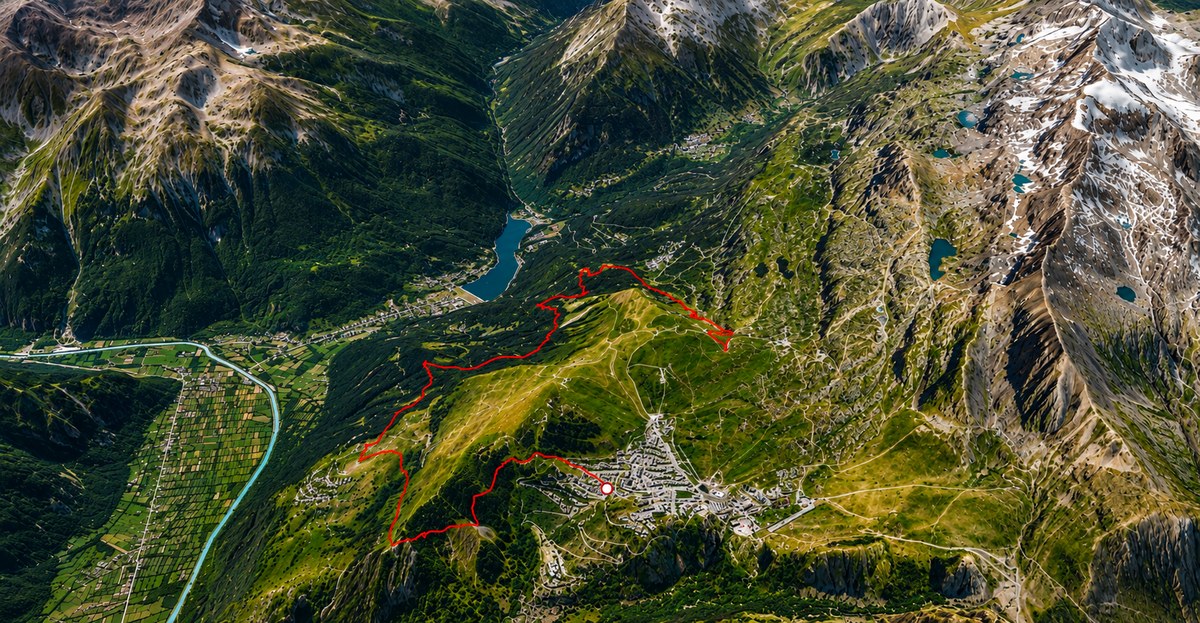
From GPS track to shareable video, in four steps
- Upload your GPX file — dragged in or picked from your device.
- Choose the chase camera distance, playback speed and lighting.
- Preview the 3D flyover directly in your browser before exporting.
- Export — download an MP4 you can share anywhere.
Rendered on real terrain, not a generic animation
The video isn't a stylized line drawn on a flat map — it's the same 3D scene GPXdrone replays on screen (real satellite imagery and elevation via Cesium ion), captured frame by frame with a drone-style chase camera following the route the whole way, exactly as it looked during preview.
Exported locally when your browser supports it — no upload required
On browsers with WebCodecs support (Chrome, Edge, Safari 16.4+), the entire video is encoded on your device — no GPX data or footage ever leaves your computer. On browsers without it (Firefox, at the time of writing), captured frames are sent to encode server-side instead, and deleted once the video is returned.
Try your first GPX video for free
The output is always a standard H.264 MP4 file, ready to post or send as-is. Create your first drone-style GPX video free, no credit card required. If you just want to look at the route first, try the 3D GPX viewer — the same 3D scene, without exporting.
Frequently asked questions
Can I convert GPX to MP4?
Yes — GPXdrone renders your GPX track as a 3D drone-style flyover and exports it as a standard MP4 (H.264) video.
Can I create a video from a Strava GPX?
Yes — export your route from Strava as a .gpx file, then upload it to GPXdrone to create a flyover video.
Can I export a Komoot route as a video?
Yes — Komoot lets you export a route as a GPX file; upload that file to GPXdrone the same way as any other GPX track.
Is my GPX file uploaded to a server?
Only if your browser can't encode video locally. On Chrome, Edge and Safari 16.4+, the whole video is encoded on your device. Elsewhere, captured frames are uploaded only to render the video and deleted afterward.
Explore GPXdrone